

Authentication
Email and password, phone sign-in with SMS codes, password reset and account deletion, on Firebase Auth with App Check.
For developers and founders shipping a subscription app. Sign-in, subscriptions (RevenueCat on mobile, Stripe on web), push notifications, theming and responsive layouts are already built. AGENTS.md and six step-by-step skills mean Claude Code, Codex and Cursor extend it the way the codebase already works.
> Add a Team plan at $29/month on Stripe and RevenueCat
● Reading AGENTS.md
● Using skill add-subscription-plan
✎ lib/common/keys.dart
✎ …/helpers/subscription_plans.dart
✎ lib/controllers/subscription_controller.dart
✓ dart format · flutter analyze · flutter test
Built on the stack you'd pick anyway
 Flutter
 Firebase
 Stripe
 RevenueCat
 TypeScript Cloud Functions
What's already built
Start from a working app with real screens, not a folder of snippets. Every item below is in the source you download.
Email and password, phone sign-in with SMS codes, password reset and account deletion, on Firebase Auth with App Check.
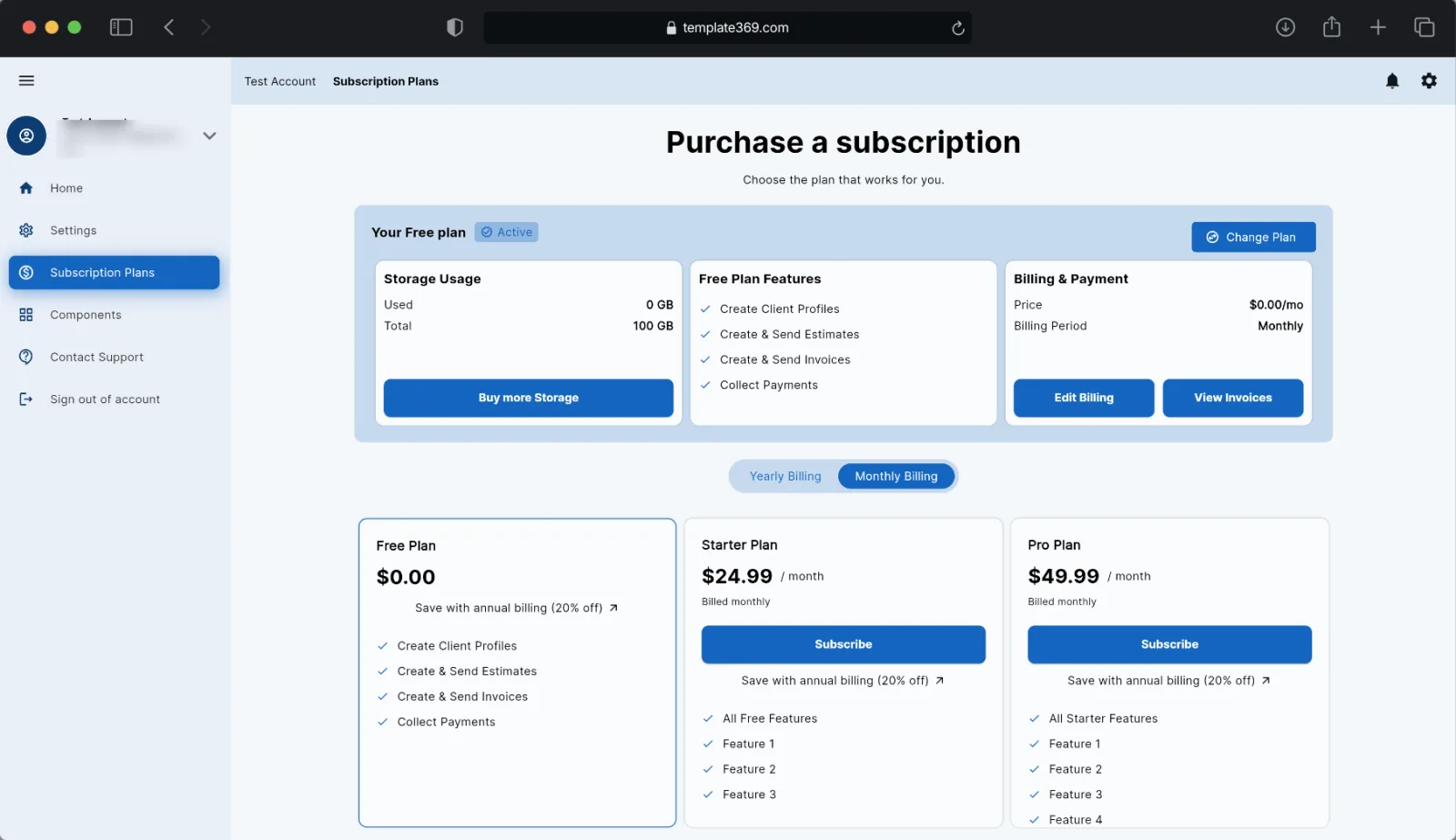
RevenueCat for App Store and Google Play, Stripe Checkout and the customer portal on web. On every platform the app reads the same entitlement record in Firestore, so you check access in one place.
Firebase Cloud Messaging, an in-app notification list with read state, and per-user notification settings.
One codebase that switches between a phone bottom bar and a tablet or desktop side menu with split-pane settings, at 850 and 1250 px.
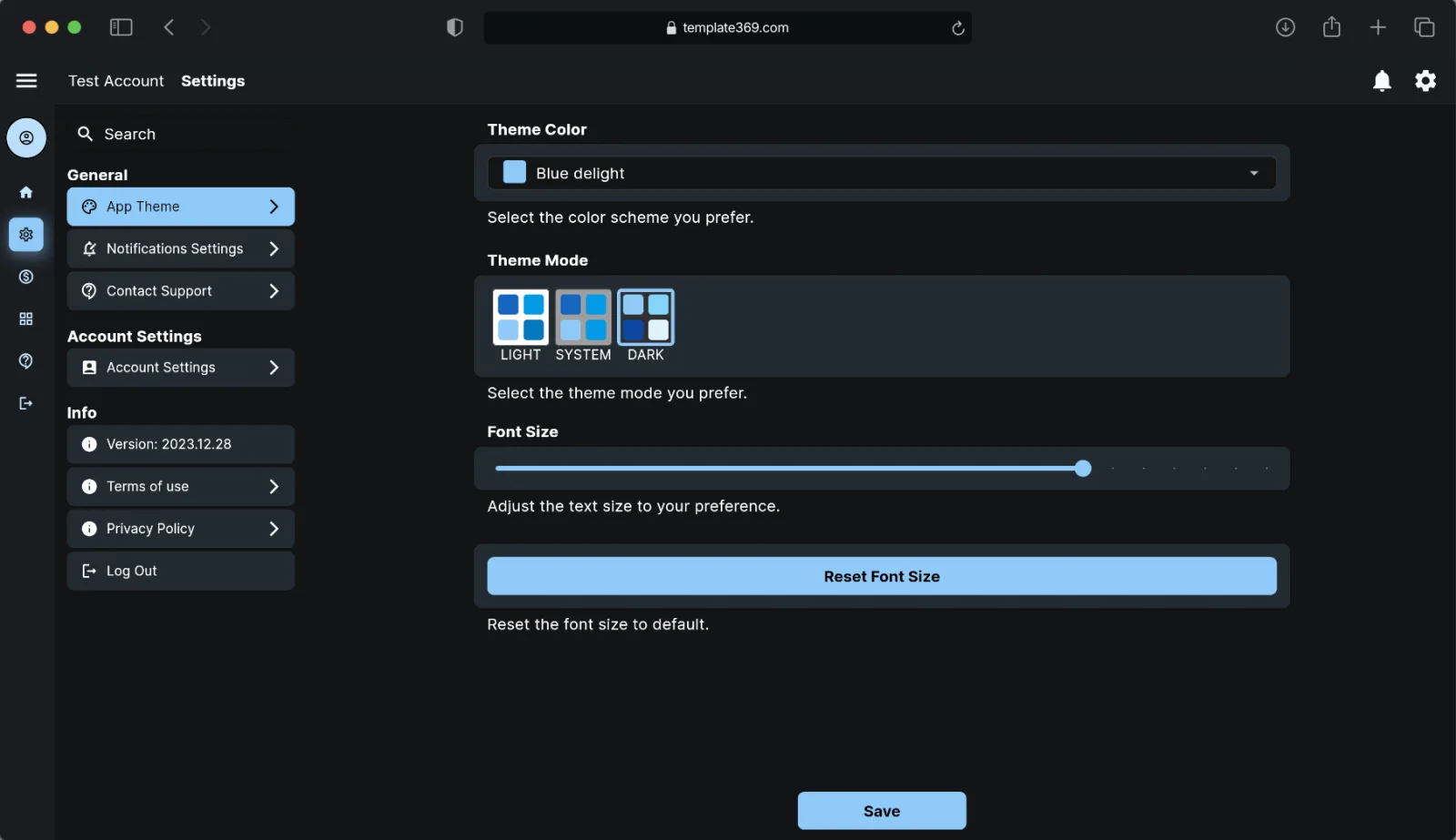
Light, dark and system modes, a picker for the built-in flex_color_scheme palettes, and an app-wide font size setting.
File uploads to Firebase Storage with image compression and metadata in Firestore, plus typed models with fromMap and toMap.
Live theme screens for buttons, text fields, sliders, switches, menus, chips and segmented buttons, so you restyle once and see it everywhere.
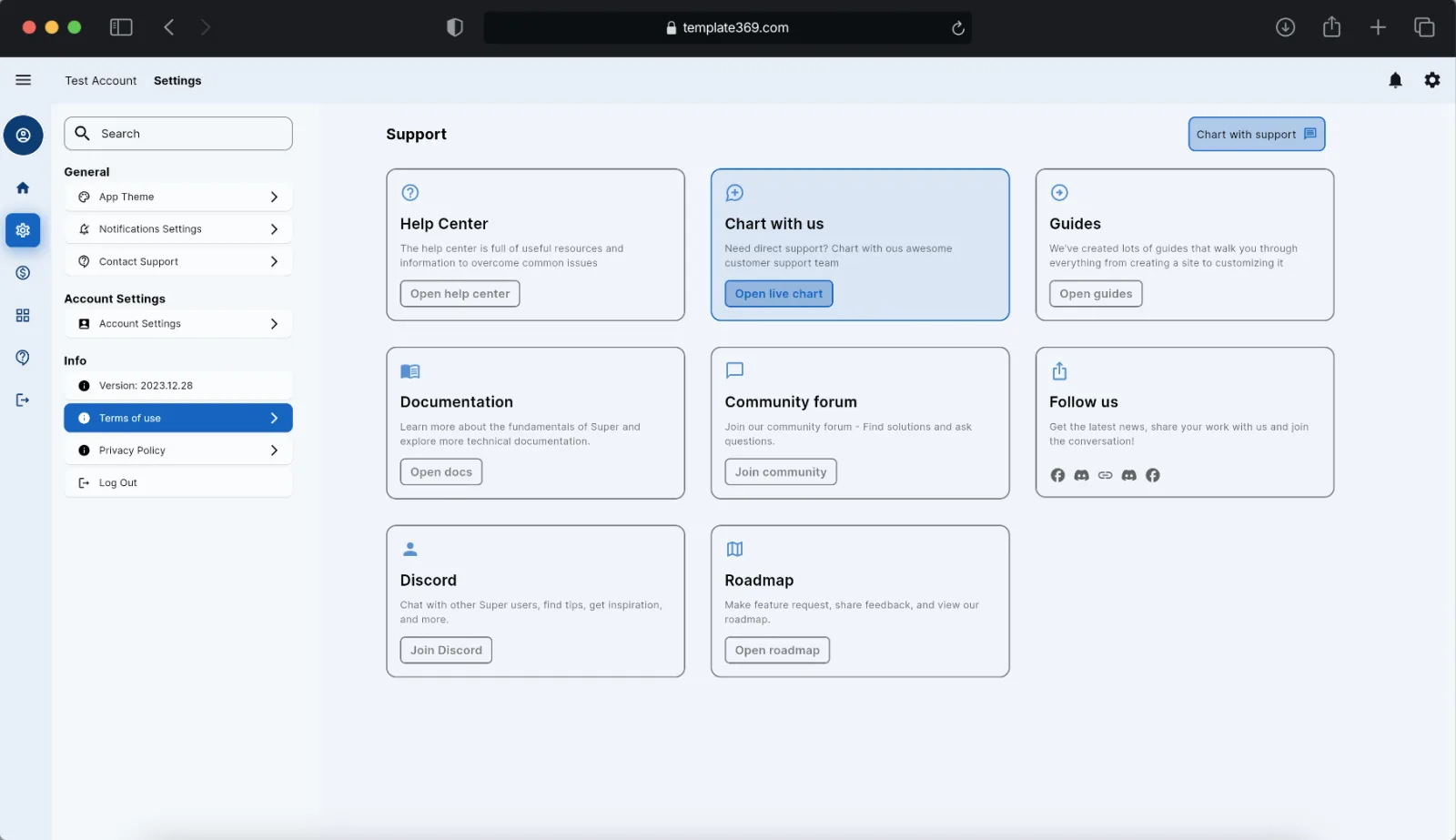
Intercom chat, a contact-support screen and the native in-app review prompt, wired to the signed-in user.
Stripe and RevenueCat calls go through seven named Cloud Functions callables with typed payload models and one response envelope.
Built for AI coding agents
Generic agents invent their own patterns: a new state library here, a named route there. Template369 ships the brief they read first. AGENTS.md maps the project, its conventions, its commands and what never to touch, and CLAUDE.md imports it so every tool gets the same rules.
## Architecture rules
State: GetX only (get: ^4.6.6). Don't add Riverpod,
Bloc, Provider or go_router.

Navigation: no named routes and no GetPage.
Main sections are listed in three places that
must stay in sync …

## Never do
- Never put a server-side secret in the Flutter app.
- Never deploy or change remote state without
  explicit approval.
- Never change the string value of an existing
  Constants collection or field key.

## Definition of done
1. Every touched .dart file passes dart format.
2. flutter analyze reports no new issues.
Ask in plain English. The skill names the real files to touch and ends with the checks.
rebrand-app
Name, bundle and package IDs, icons, logos and placeholder URLs.
“Rebrand this app to Acme Notes, bundle ID com.acme.notes.”
connect-firebase
Points every config copy at your project and lists the console steps.
“Connect my Firebase project acme-notes-prod.”
add-screen
A main section, a settings sub-screen or a pushed detail screen.
“Add a Reports section to the side menu and bottom bar.”
add-firestore-collection
Constants, model, controller stream, rules and indexes.
“Add a projects collection with a model and security rules.”
add-subscription-plan
Stripe, RevenueCat, store product IDs and feature gating.
“Add a Team plan at $29/month on Stripe and RevenueCat.”
add-cloud-function
Payload model, the controller call and the backend contract.
“Call a new getIntercomUserHash callable from support.”
Real screens, not mockups
Screenshots of the template running as a web app. The same screens build for iOS and Android. Open the live demo to click through them.
From download to your app
Clone your copy, add the env file and run the smoke tests. No Firebase needed for the tests.
cp .env.example .env
flutter pub get
flutter test
Ask your agent to run rebrand-app: name, bundle IDs, icons and logos change together.
> Rebrand to Acme Notes,
  bundle ID com.acme.notes
connect-firebase edits the config copies and tells you the console steps. You run flutterfire configure yourself.
flutterfire configure
Add screens, collections and plans with the skills. Ask for a plan first on anything bigger than a screen.
> Plan it, list the files,
  then wait for my OK
Guides
Platform setup, every app state, sending from a Cloud Function, and the move from tokens to installation IDs.
Where each agent looks for SKILL.md, what makes a skill get picked, and a starter skill to copy.
A template written for Flutter apps, what each section is for, and the mistakes that make agents ignore it.
Pricing
The full Flutter source and the agent pack. Build unlimited projects under the license.
Save $69.88 a year vs monthly
Renews every year until you cancel. All sales are final (terms). Secure checkout by Stripe.
A Flutter + Firebase SaaS boilerplate. You start from a working app with sign-in, subscriptions, push notifications, theming, responsive layouts and support chat already in place, plus the AGENTS.md and agent skills that let AI coding agents extend it safely.
Claude Code reads CLAUDE.md, which imports AGENTS.md, and gets a format-check hook and "ask before deploy or push" rules. Codex and Cursor read AGENTS.md at the repo root, and the six skills are also linked at .agents/skills. Any other agent can be pointed at the same files. See Build with an AI agent.
No. AGENTS.md is also a plain-English onboarding guide to the codebase: the project map, conventions, commands and known issues. Developers read it the same way agents do.
The full Flutter source with iOS, Android and web projects: email and phone authentication, in-app subscriptions (RevenueCat), Stripe payments on web, notifications, Firestore and Storage, a theme manager, responsive layouts, reusable components, a Cloud Functions (Gen2) template, AGENTS.md and six agent skills.
It's tested on Flutter 3.47.2 (Dart 3.13.2), pinned with FVM. State and navigation use GetX, and AGENTS.md tells agents to keep it that way rather than mixing in another state library.
Yes. Open the live demo to click through the app first.
A Personal License lets you build unlimited projects as an individual; a Team License lets you build unlimited projects as a team. The full terms are on the license page.
The Professional plan is $350 a year or $34.99 a month. Because you get the full source code, all sales are final (see the terms), so try the live demo and ask us anything before you buy.
Sign-in, subscriptions and settings are done, and the rules your agent needs are written down. Spend your first week on your product.